이전 포스팅에서 헤르메스 AI 에이전트 최초 설정 마법사에 대해서 다뤘는데
메신저의 경우 사용하는 환경이 모두 다르기 때문에 스킵하여 진행했다.
2026.05.31 - [IT/AI 자동화] - 헤르메스(hermes agent) 도커 설치 방법 첫번째! 최초 설정 마법사 (feat. 맥미니 + 클로드)
텔레그램과 슬랙 플랫폼 연동 방법에 대해서 알아보자
* 헤르메스 기본 설치 경로에 따라 경로는 달라질 수 있다.
#docker run -it --rm -v {헤르메스 설정 파일 위치} nousresearch/hermes-agent setup gateway
docker run -it --rm -v ~/.hermes:/opt/data nousresearch/hermes-agent setup gateway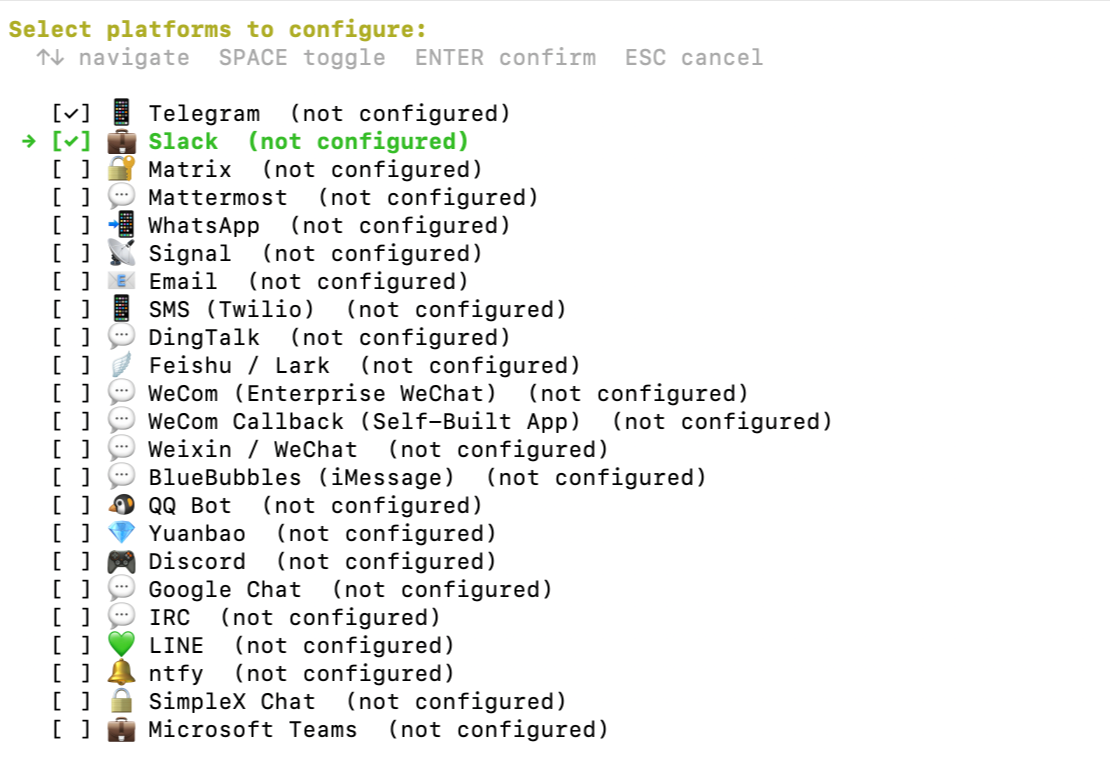
1. 텔레그램(telegram) 설정
1.1. Telegram bot token 생성방법
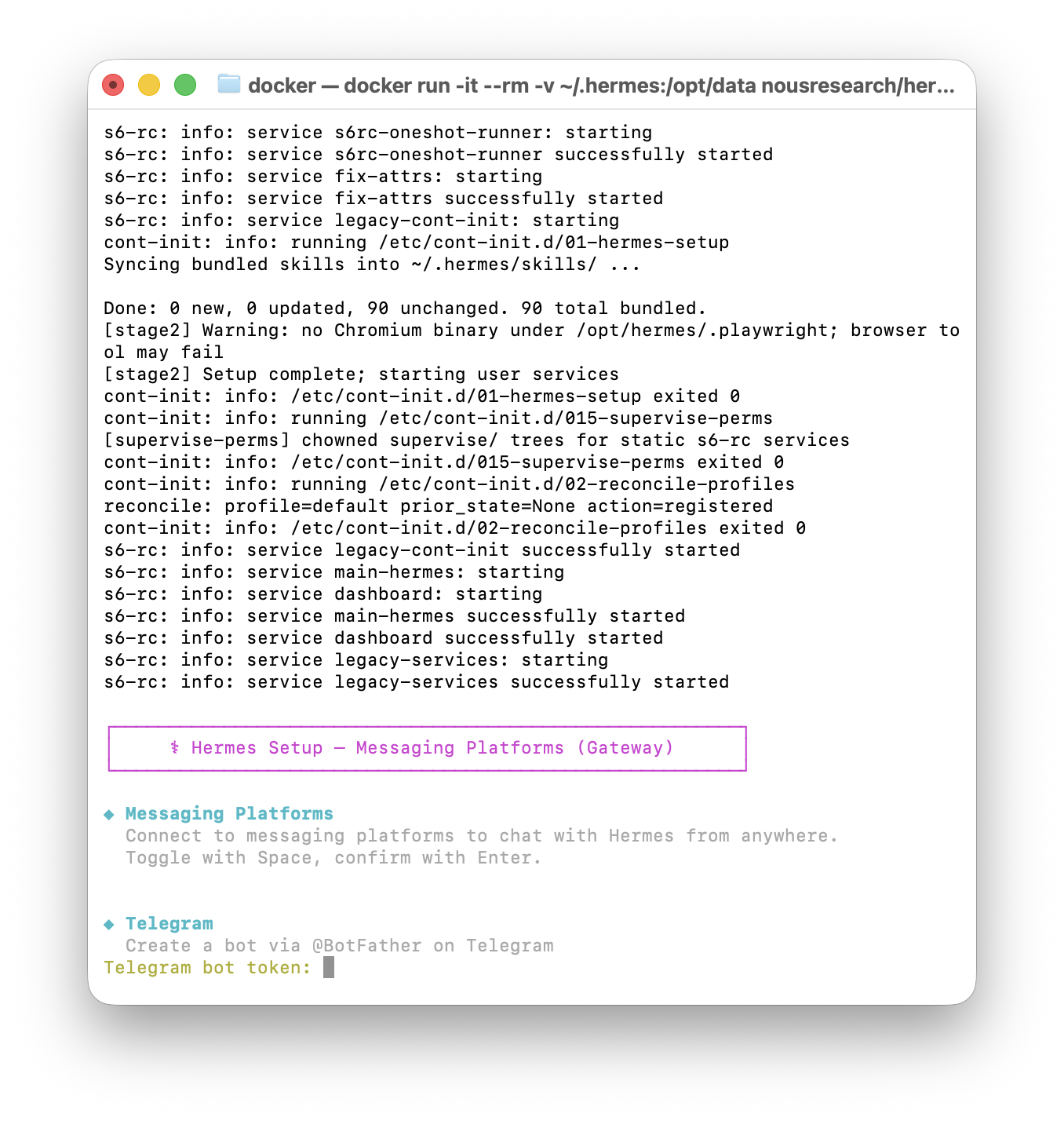
텔레그램 앱에서 봇 토큰을 받아야하기 때문에 텔레그램에 들어간 후 BotFather를 검색하자
1.2. Telegram bot 생성 후 토큰 받기
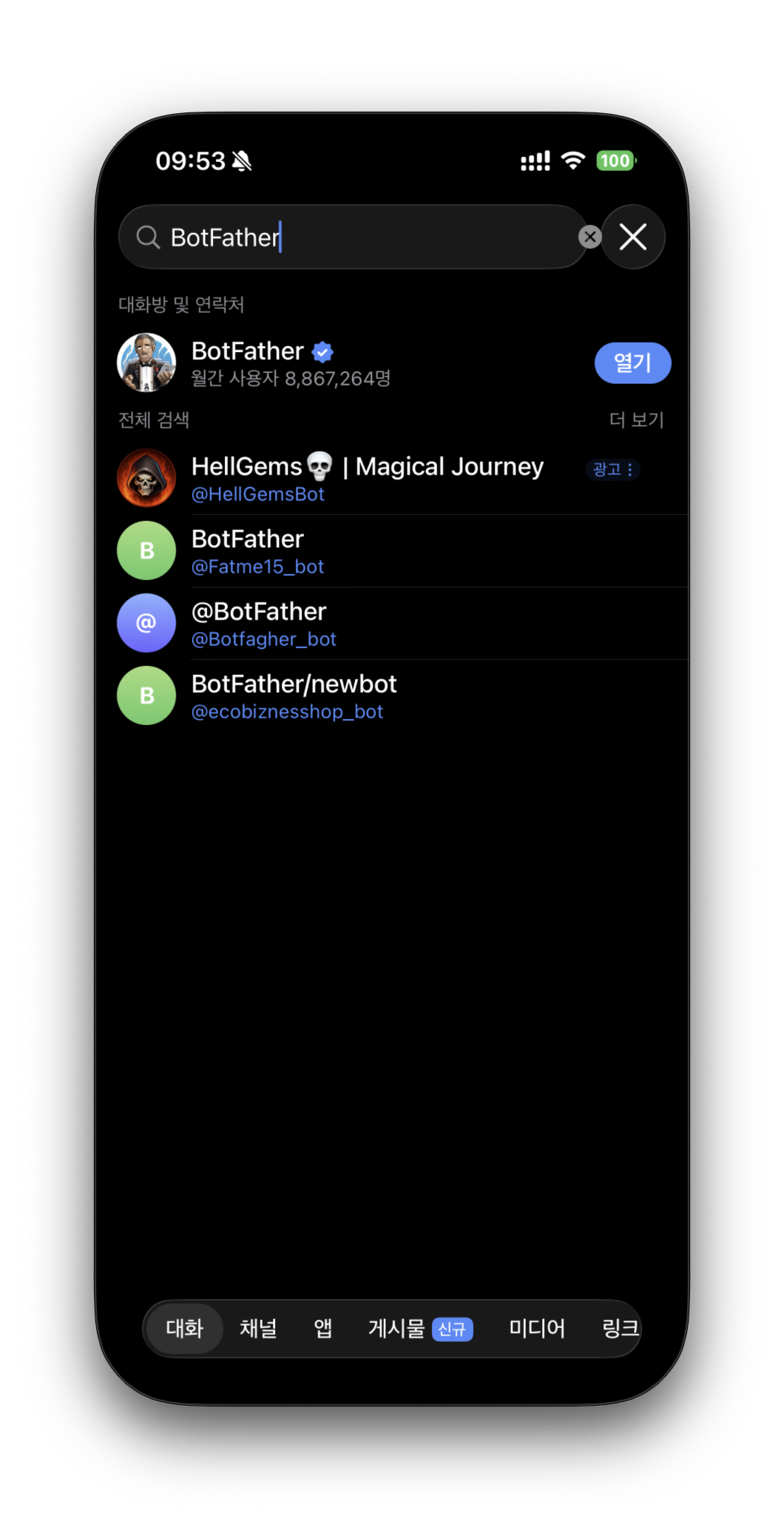
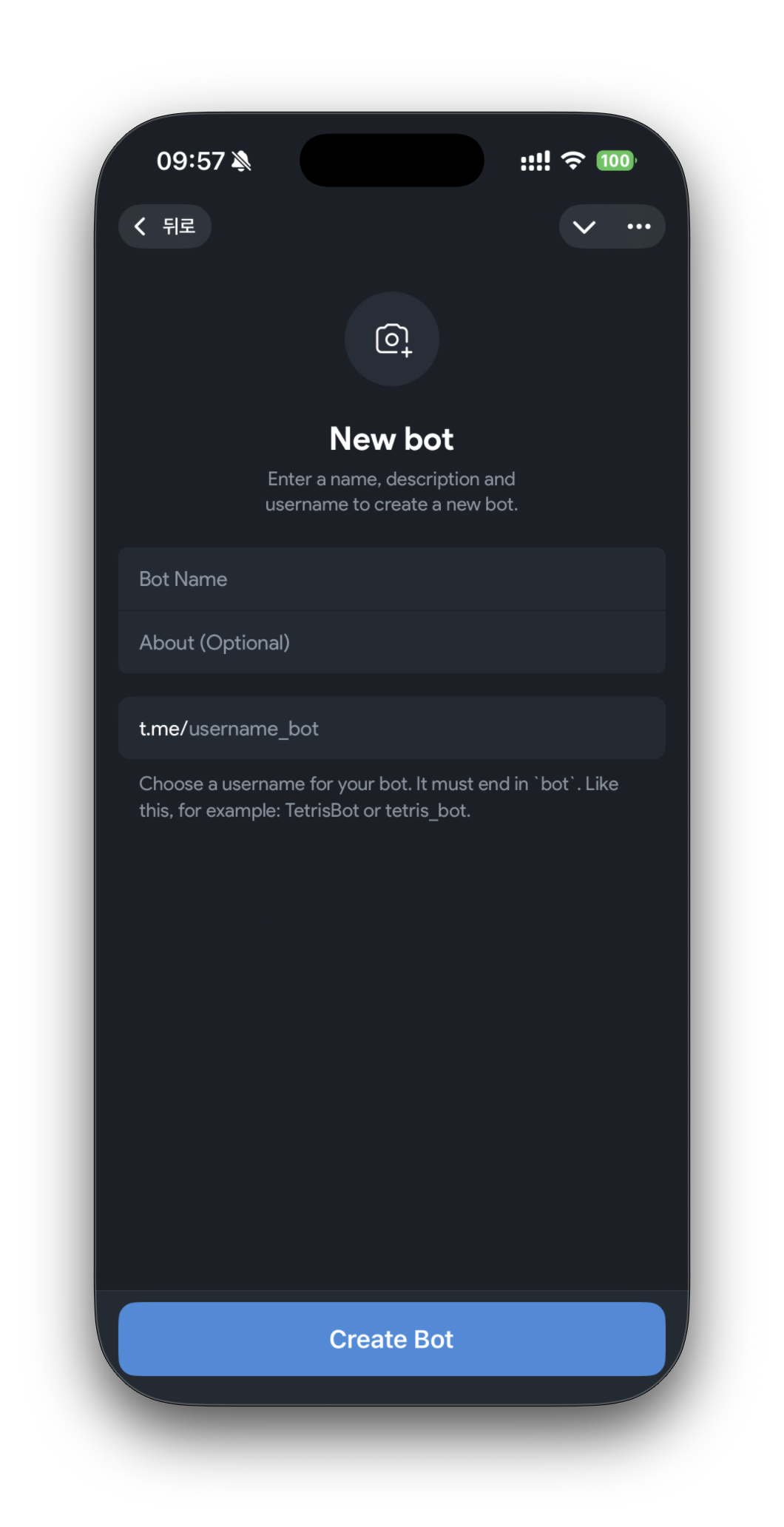
Create a New Bot 버튼을 누르면 쉽게 봇을 생성하는 창이 뜬다.
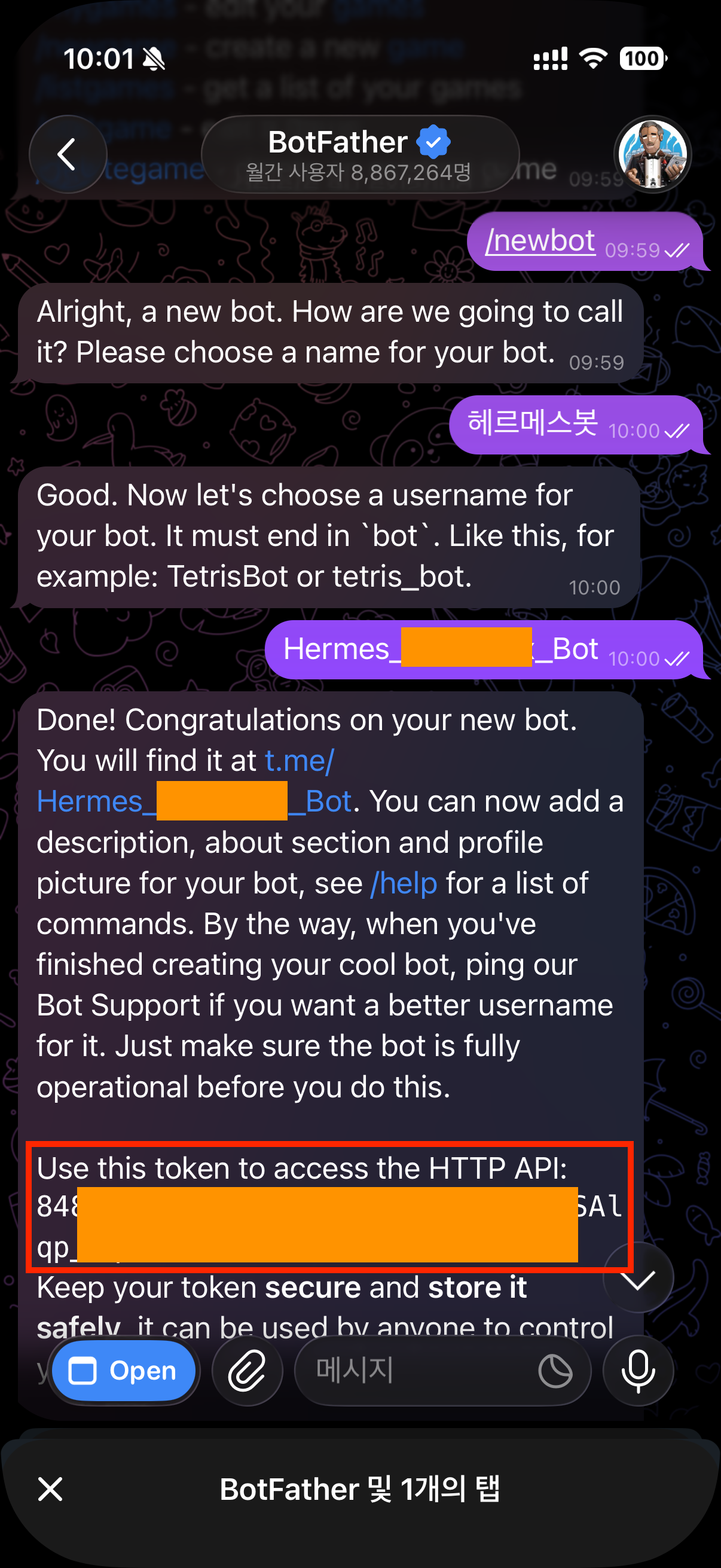
혹은 그냥 채팅창에서 /newbot 명령어로 진행해도 동일하게 진행할 수 있다.
중요한 점은 봇을 만들고 발급받은 텔레그램 토큰을 복사붙여 넣기 하자
또한, 봇파더가 t.me/입력한bot이름명 으로 된 URL을 주는데 이걸 터치하면 헤르메스 봇을 텔레그램에서 사용할 수 있게된다.
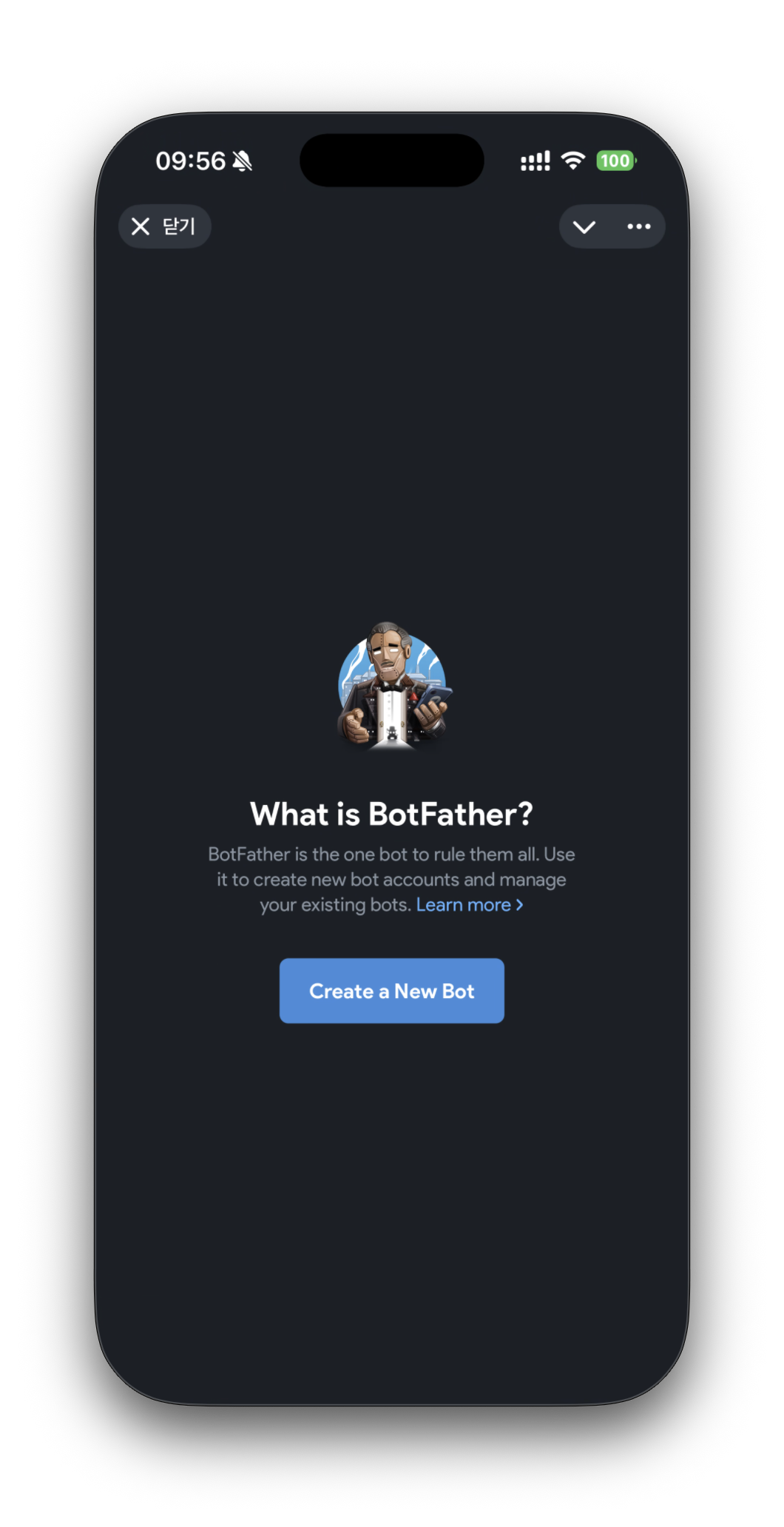
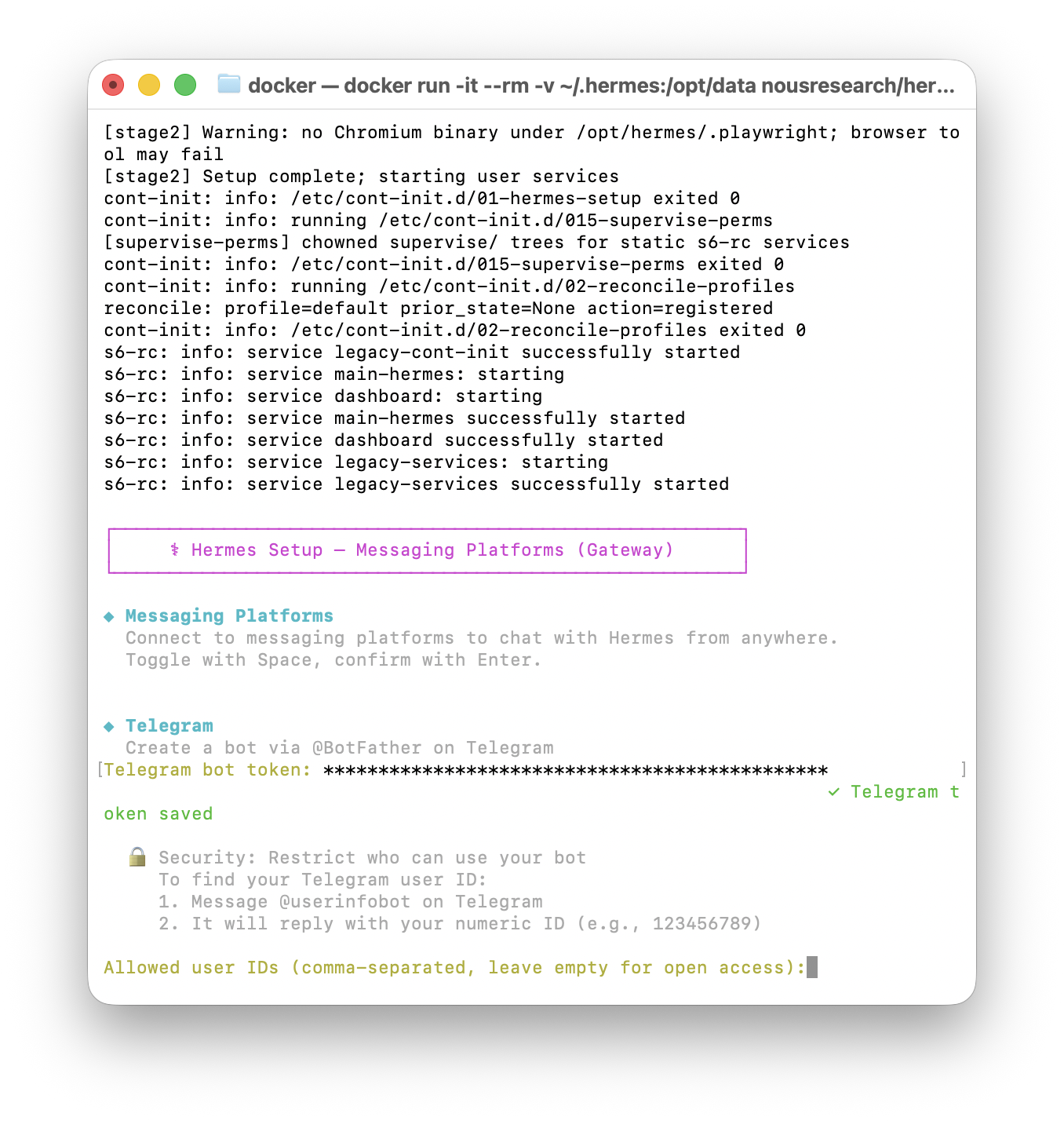
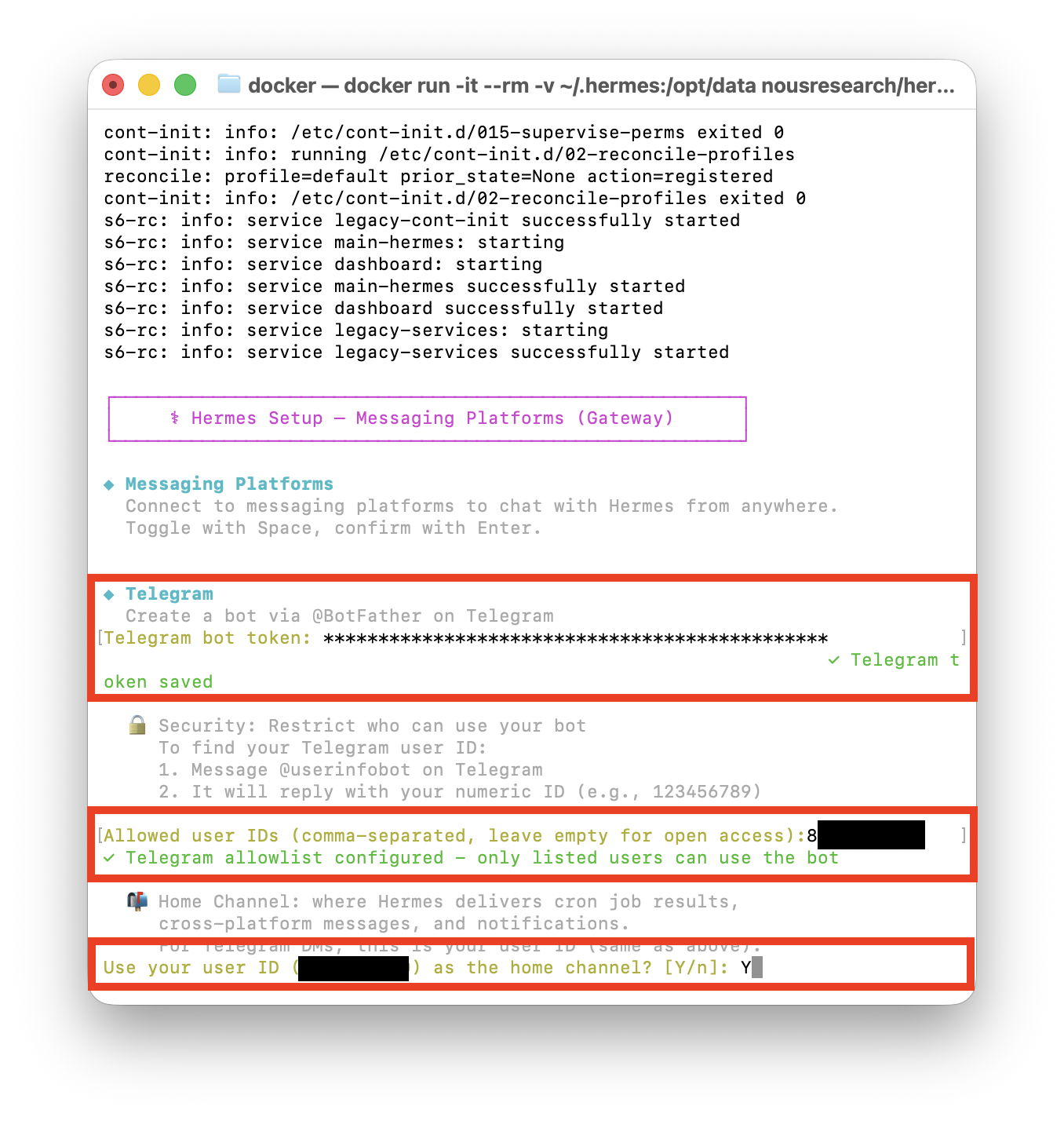
1.3. 발급받은 토큰과 숫자형으로 된 텔레그램ID을 헤르메스에 입력
그런데 보안을 위해 이 텔레그램봇을 나만 이용할 수 있도록 숫자형으로 된 내 아이디를 입력하라고 한다.(콤마로 여러 아이디 입력가능)
먼저 숫자형으로 된 내 텔레그램 아이디를 넣으면 된다는데 이 숫자형 아이디를 확인해보자.
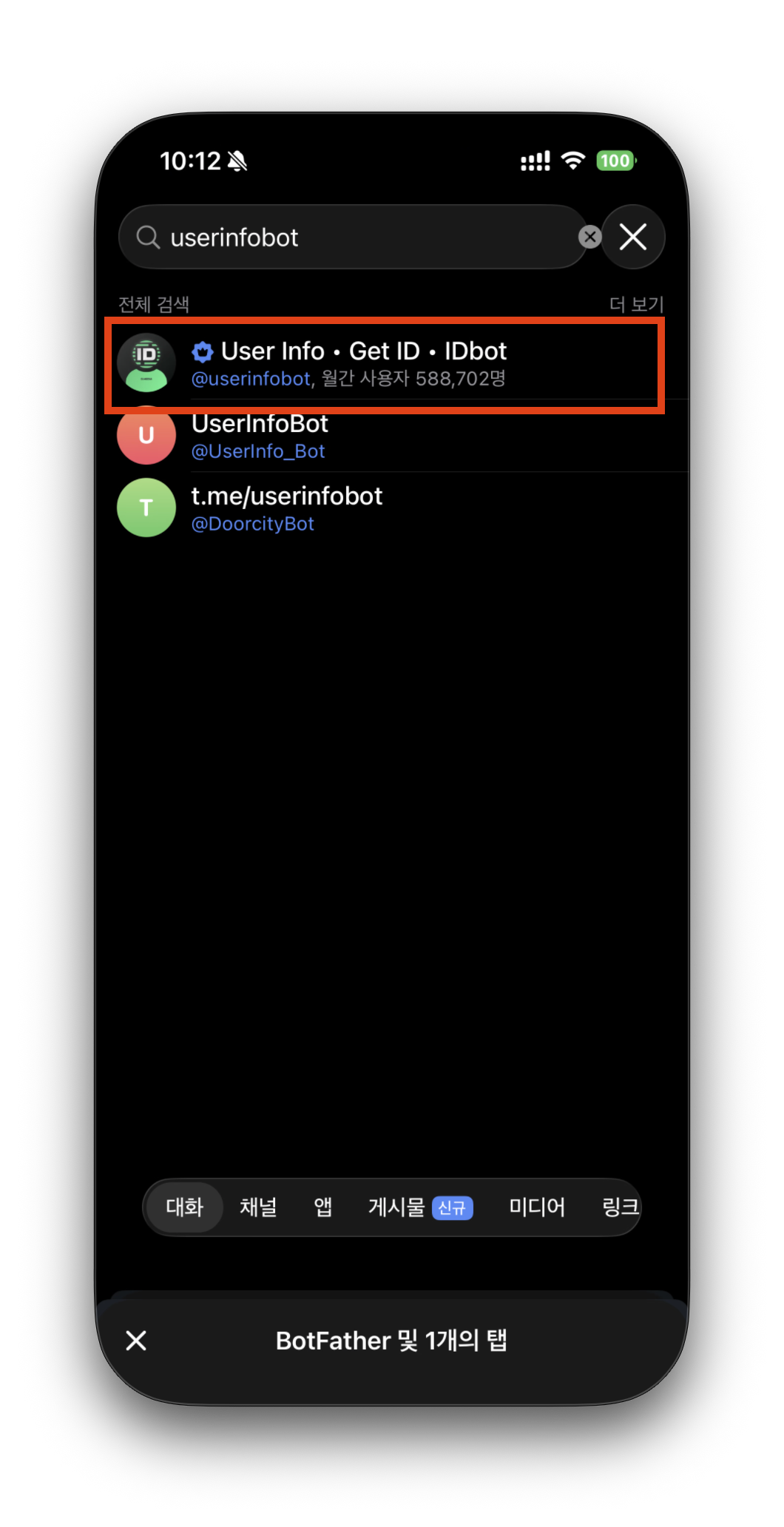
1.4. Telegram 아이디 찾는 방법
userinfobot을 검색하고 /start를 입력하면 친절하게 숫자로 된 id를 알려준다.

1.5. 텔레그램 봇 토큰 및 내 숫자형 ID 입력 완료
- 텔레그램의 봇파더에서 받은 토큰
- 유저인포봇에서 확인한 내 숫자형 ID
- 내 계정을 홈채널로 설정
2. 슬랙(slack) 설정
2.1. 슬랙 설정 순서
| ◆ Slack Steps to create a Slack app: 1. Go to https://api.slack.com/apps → Create New App Pick 'From an app manifest' — we'll generate one for you below. 2. Enable Socket Mode: Settings → Socket Mode → Enable • Create an App-Level Token with 'connections:write' scope 3. Install to Workspace: Settings → Install App 4. After installing, invite the bot to channels: /invite @YourBot Full guide: https://hermes-agent.nousresearch.com/docs/user-guide/messaging/slack/ ✓ Slack app manifest written to: /opt/data/slack-manifest.json Paste it into https://api.slack.com/apps → your app → Features → App Manifest → Edit, then Save. Slack will prompt to reinstall if scopes or slash commands changed. Re-run `hermes slack manifest --write` anytime to refresh after Hermes adds new commands. Slack Bot Token (xoxb-...): |
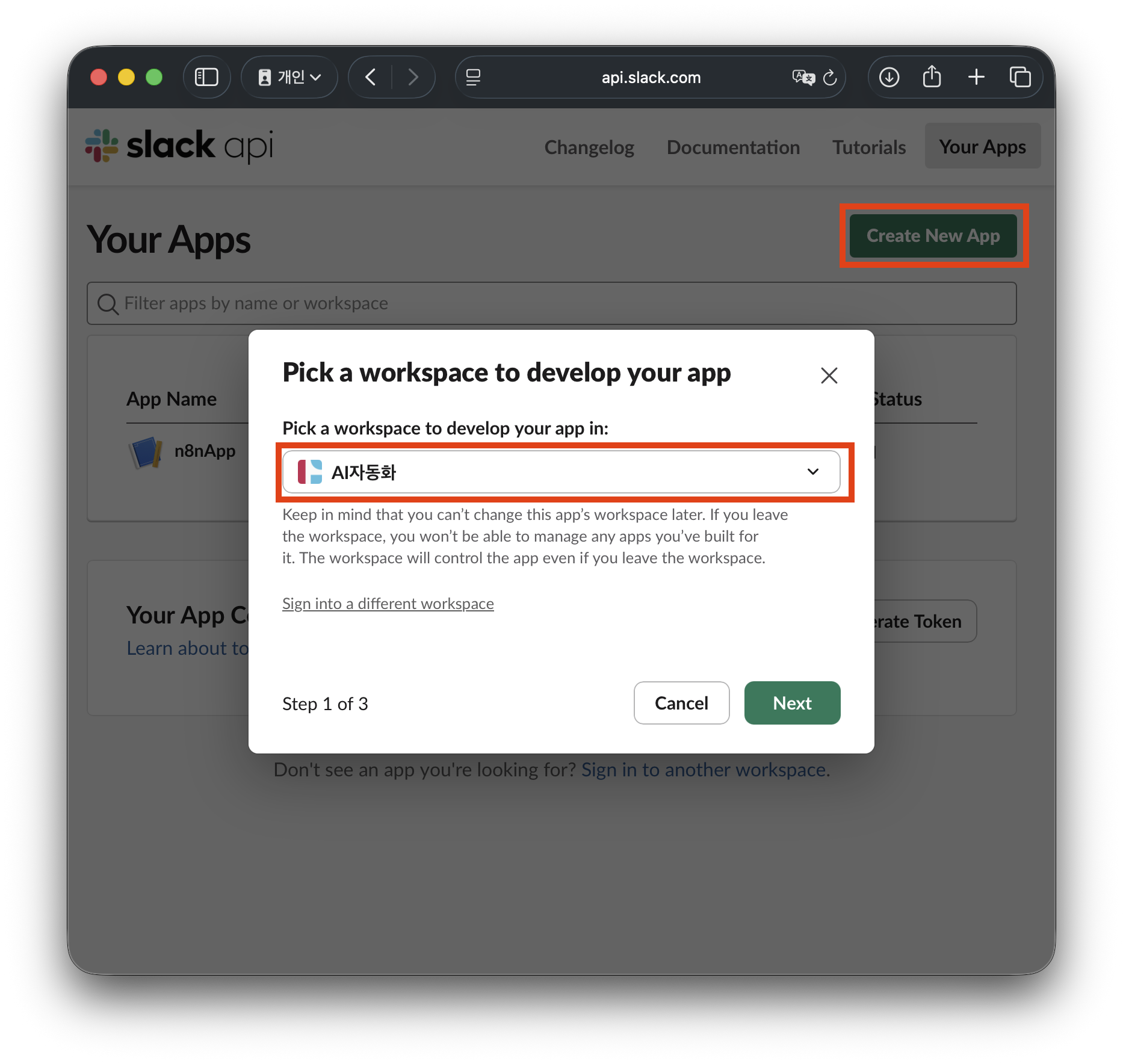
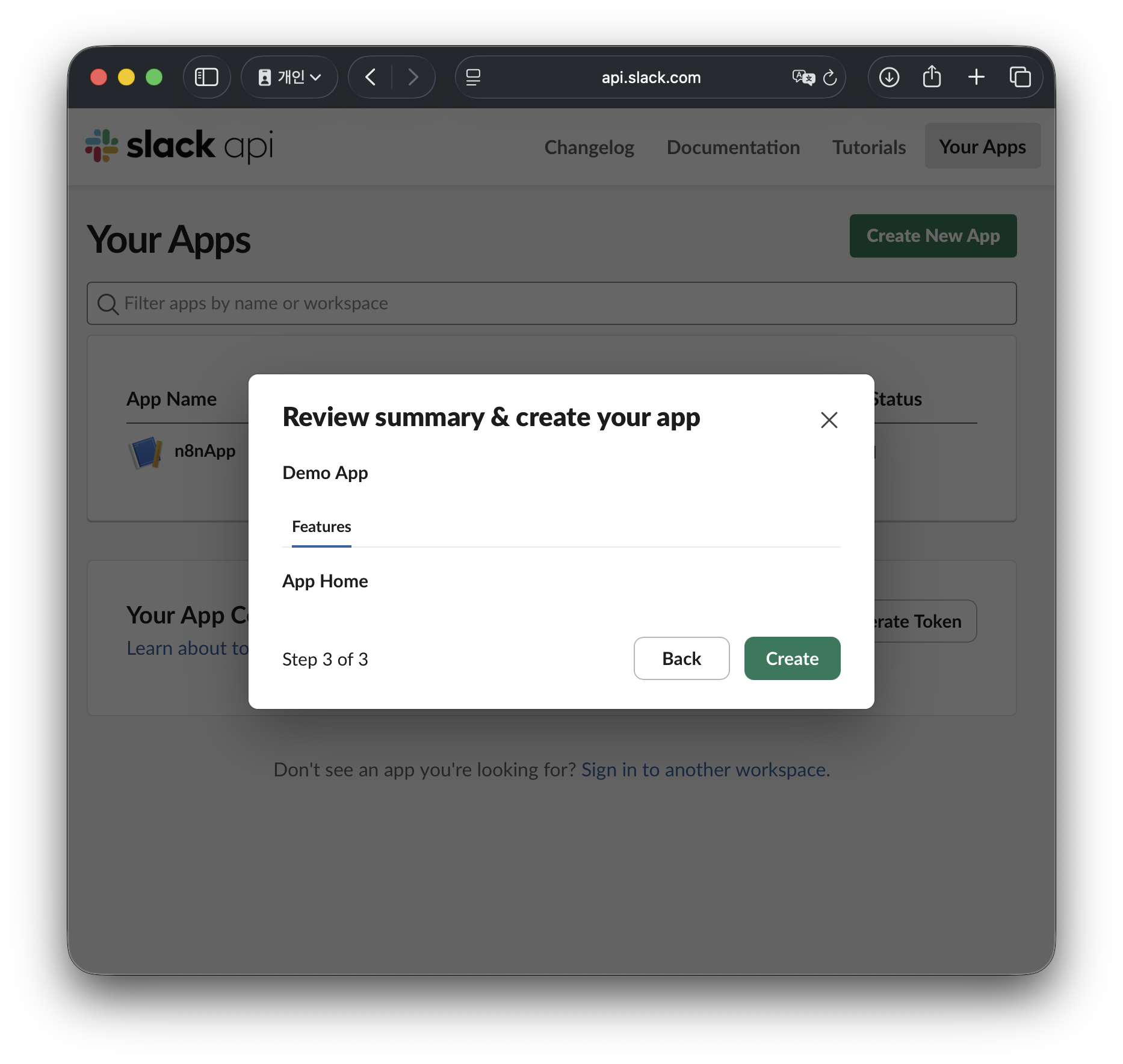
2.2. https://api.slack.com/apps 접속 > Create New App > 워크스페이스 선택 후 Next
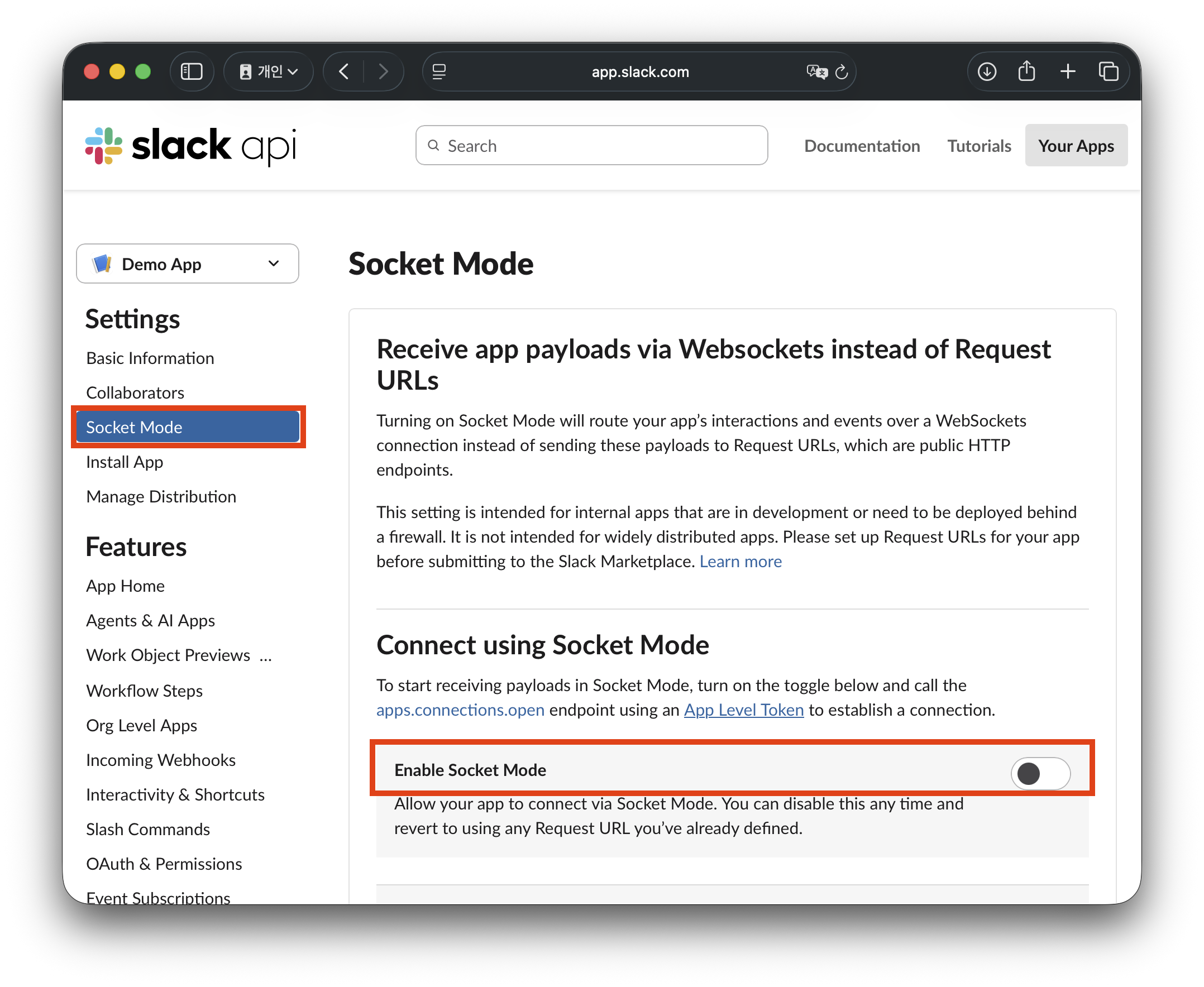
2.3. 소켓모드 활성화(Enable Socket Mode)
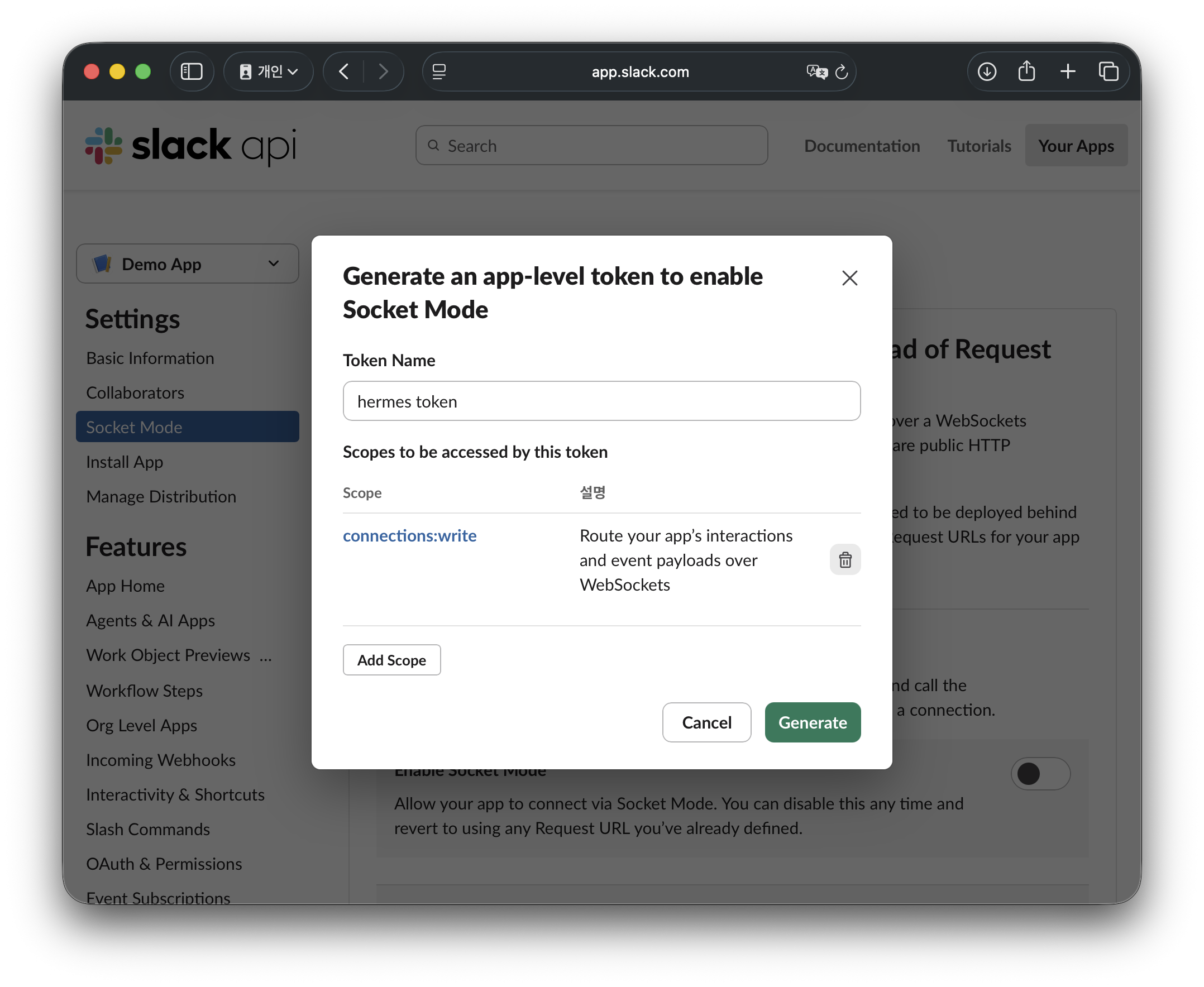
Enable Socket Mode 활성화 버튼을 클릭하면 Token Name을 입력하라고 나온다. 대충 hermes 뭐시기로 이름을 입력해준 뒤 Generate 버튼 클릭
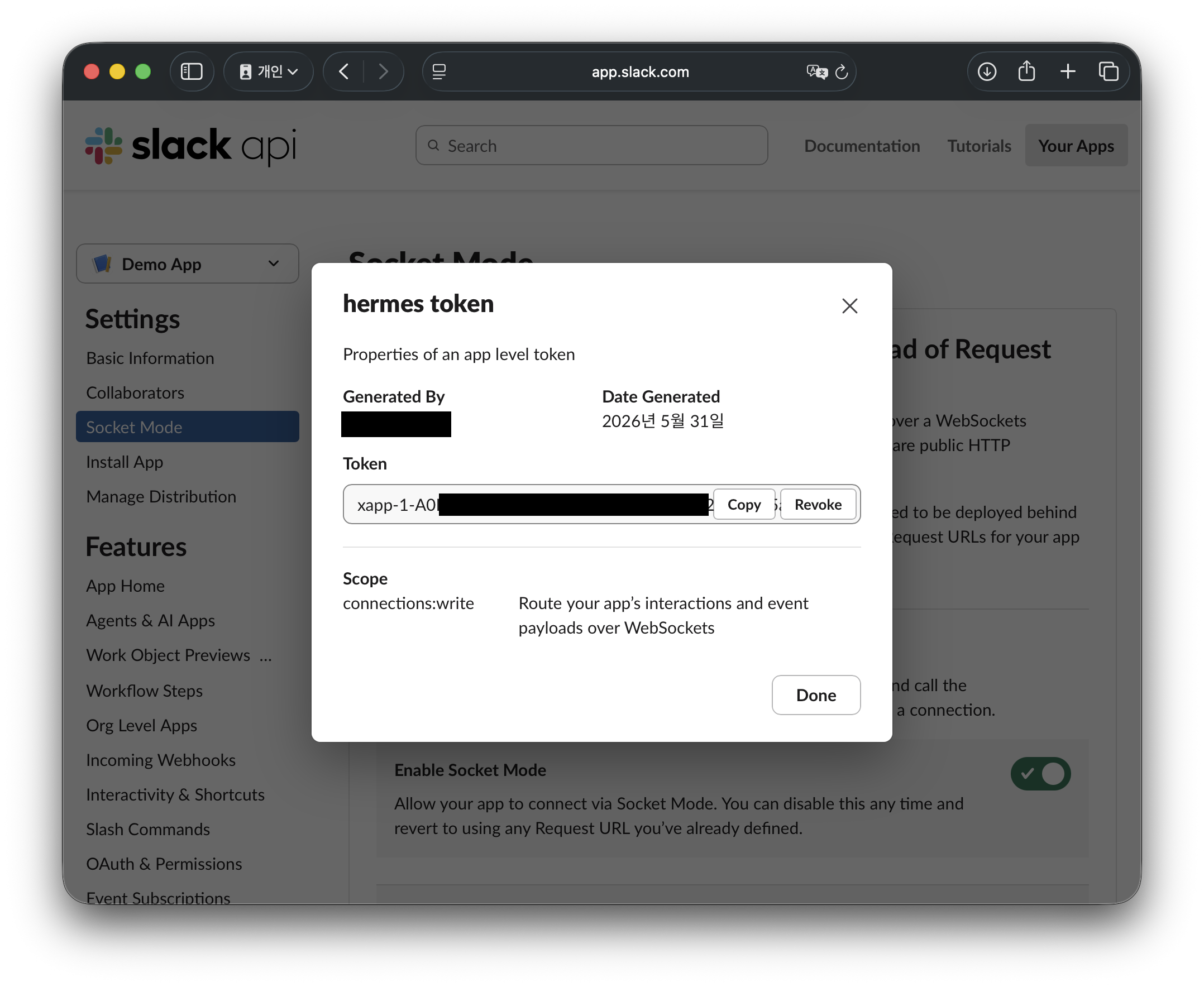
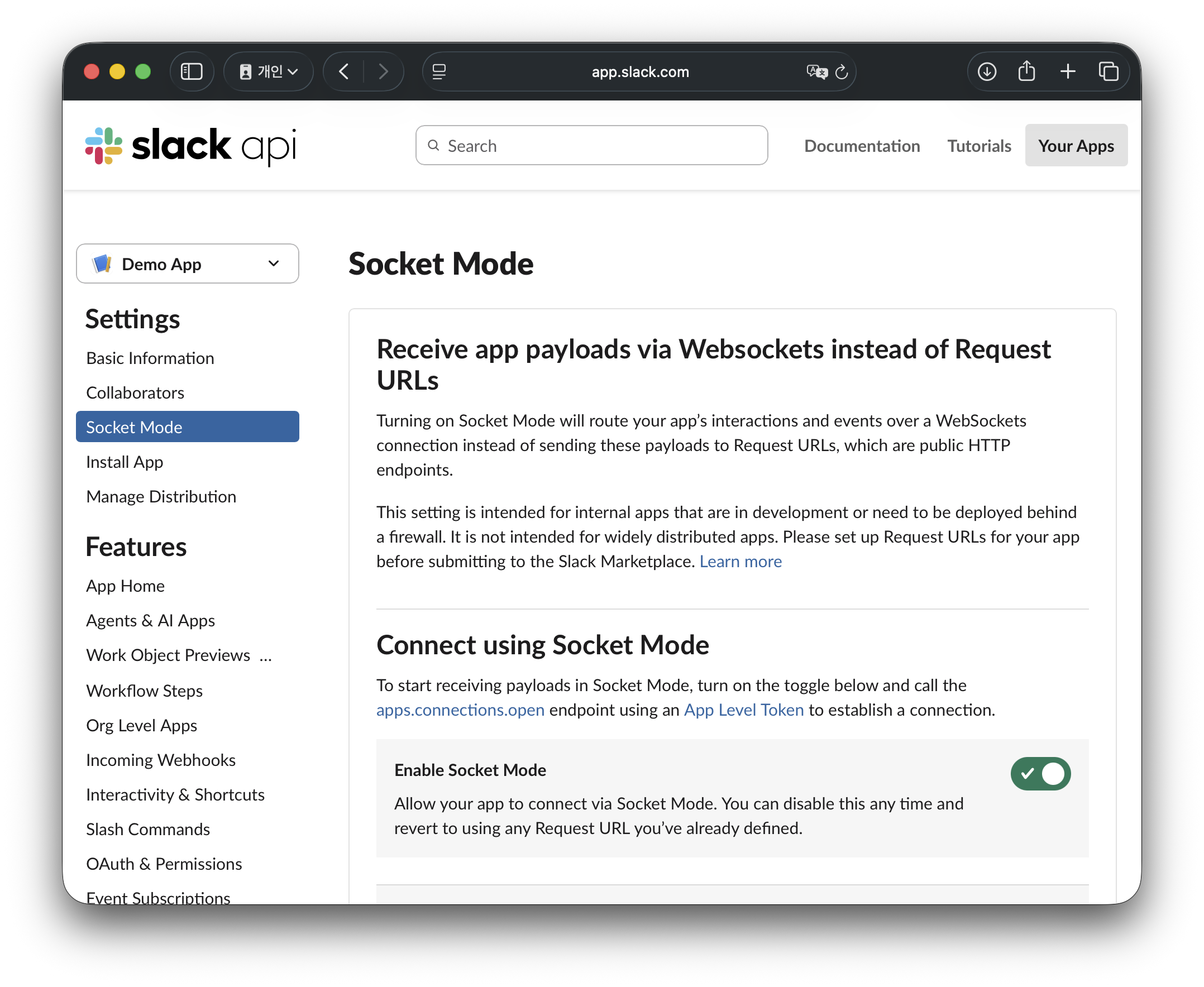
발급받은 토큰은 있다가 터미널에 입력할 Slack App Token (xapp-...) 값이므로 텍스트편집기나 메모장 같은 곳에 잠시 복붙해두고 Done을 누르면 Enable Socket Mode 활성화가 완료된다.
2.4. 새 터미널창을 열고 hermes에서 제공하는 슬랙 manifest 설정파일을 복사하여 슬랙에 붙여넣기 하기
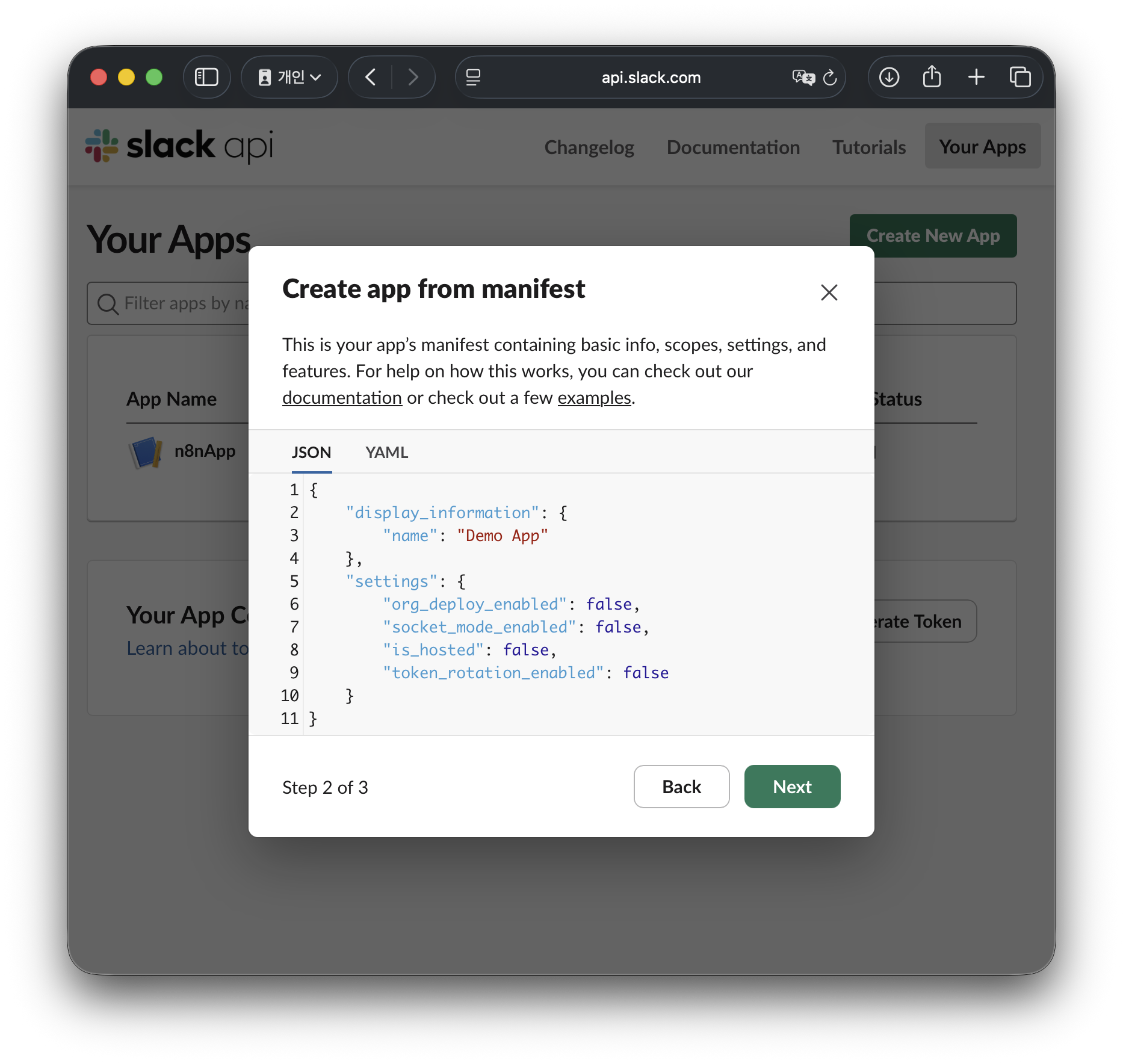
슬랙에서 App을 새로 만들었기 때문에 거기에 따른 세부설정을 모두 다 해야하지만 헤르메스가 이 세부설정에 대한 매니페스트 정보를 제공하기 때문에 복사해서 붙여넣기를 할것이다.
새로운 터미널을 열고 다음 명령어 입력
#cat {헤르메스 설치경로}/slack-manifest.json
cat ~/.hermes/slack-manifest.json
내용을 복사하자
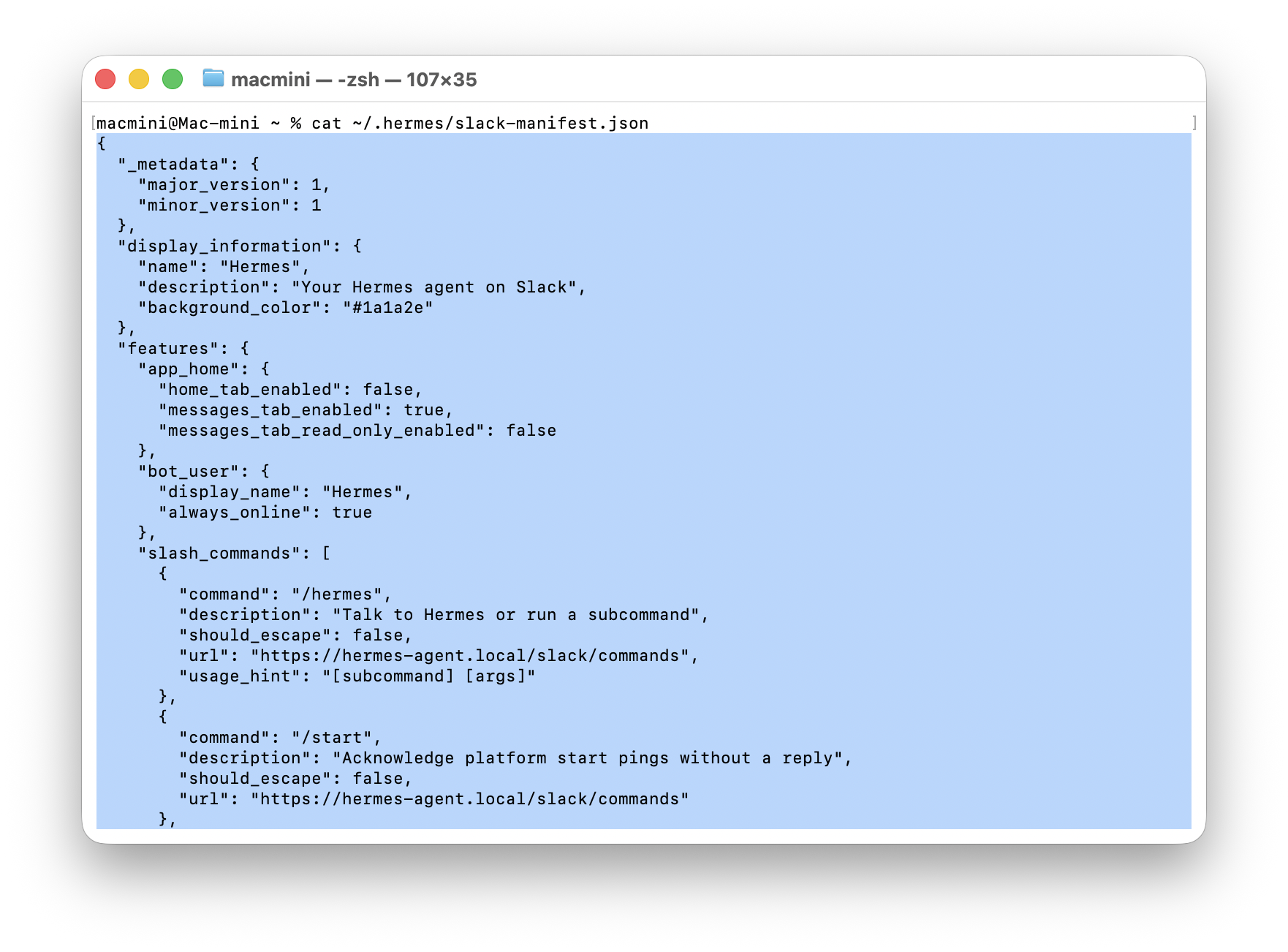
복사한 전체 slack-manifest.json 내용은 아래와 같다.
빨강색 음영 글씨인 name, descripon 정도만 본인 입맛에 맞게 변경하면 된다.(그대로 사용해도 됨)
| { "_metadata": { "major_version": 1, "minor_version": 1 }, "display_information": { "name": "Hermes", "description": "Your Hermes agent on Slack", "background_color": "#1a1a2e" }, "features": { "app_home": { "home_tab_enabled": false, "messages_tab_enabled": true, "messages_tab_read_only_enabled": false }, "bot_user": { "display_name": "Hermes", "always_online": true }, "slash_commands": [ { "command": "/hermes", "description": "Talk to Hermes or run a subcommand", "should_escape": false, "url": "https://hermes-agent.local/slack/commands", "usage_hint": "[subcommand] [args]" }, { "command": "/start", "description": "Acknowledge platform start pings without a reply", "should_escape": false, "url": "https://hermes-agent.local/slack/commands" }, { "command": "/new", "description": "Start a new session (fresh session ID + history)", "should_escape": false, "url": "https://hermes-agent.local/slack/commands", "usage_hint": "[name]" }, { "command": "/retry", "description": "Retry the last message (resend to agent)", "should_escape": false, "url": "https://hermes-agent.local/slack/commands" }, { "command": "/undo", "description": "Remove the last user/assistant exchange", "should_escape": false, "url": "https://hermes-agent.local/slack/commands" }, { "command": "/title", "description": "Set a title for the current session", "should_escape": false, "url": "https://hermes-agent.local/slack/commands", "usage_hint": "[name]" }, { "command": "/branch", "description": "Branch the current session (explore a different path)", "should_escape": false, "url": "https://hermes-agent.local/slack/commands", "usage_hint": "[name]" }, { "command": "/compress", "description": "Compress conversation context (add 'here [N]' to keep recent N turns)", "should_escape": false, "url": "https://hermes-agent.local/slack/commands", "usage_hint": "[here [N] | focus topic]" }, { "command": "/rollback", "description": "List or restore filesystem checkpoints", "should_escape": false, "url": "https://hermes-agent.local/slack/commands", "usage_hint": "[number]" }, { "command": "/stop", "description": "Kill all running background processes", "should_escape": false, "url": "https://hermes-agent.local/slack/commands" }, { "command": "/approve", "description": "Approve a pending dangerous command", "should_escape": false, "url": "https://hermes-agent.local/slack/commands", "usage_hint": "[session|always]" }, { "command": "/deny", "description": "Deny a pending dangerous command", "should_escape": false, "url": "https://hermes-agent.local/slack/commands" }, { "command": "/background", "description": "Run a prompt in the background", "should_escape": false, "url": "https://hermes-agent.local/slack/commands", "usage_hint": "<prompt>" }, { "command": "/agents", "description": "Show active agents and running tasks", "should_escape": false, "url": "https://hermes-agent.local/slack/commands" }, { "command": "/queue", "description": "Queue a prompt for the next turn (doesn't interrupt)", "should_escape": false, "url": "https://hermes-agent.local/slack/commands", "usage_hint": "<prompt>" }, { "command": "/steer", "description": "Inject a message after the next tool call without interrupting", "should_escape": false, "url": "https://hermes-agent.local/slack/commands", "usage_hint": "<prompt>" }, { "command": "/goal", "description": "Set a standing goal Hermes works on across turns until achieved", "should_escape": false, "url": "https://hermes-agent.local/slack/commands", "usage_hint": "[text | pause | resume | clear | status]" }, { "command": "/subgoal", "description": "Add or manage extra criteria on the active goal", "should_escape": false, "url": "https://hermes-agent.local/slack/commands", "usage_hint": "[text | remove N | clear]" }, { "command": "/whoami", "description": "Show your slash command access (admin / user)", "should_escape": false, "url": "https://hermes-agent.local/slack/commands" }, { "command": "/profile", "description": "Show active profile name and home directory", "should_escape": false, "url": "https://hermes-agent.local/slack/commands" }, { "command": "/sethome", "description": "Set this chat as the home channel", "should_escape": false, "url": "https://hermes-agent.local/slack/commands" }, { "command": "/resume", "description": "Resume a previously-named session", "should_escape": false, "url": "https://hermes-agent.local/slack/commands", "usage_hint": "[name]" }, { "command": "/sessions", "description": "Browse and resume previous sessions", "should_escape": false, "url": "https://hermes-agent.local/slack/commands" }, { "command": "/model", "description": "Switch model for this session", "should_escape": false, "url": "https://hermes-agent.local/slack/commands", "usage_hint": "[model] [--provider name] [--global] [--refresh]" }, { "command": "/codex-runtime", "description": "Toggle codex app-server runtime for OpenAI/Codex models", "should_escape": false, "url": "https://hermes-agent.local/slack/commands", "usage_hint": "[auto|codex_app_server]" }, { "command": "/personality", "description": "Set a predefined personality", "should_escape": false, "url": "https://hermes-agent.local/slack/commands", "usage_hint": "[name]" }, { "command": "/footer", "description": "Toggle gateway runtime-metadata footer on final replies", "should_escape": false, "url": "https://hermes-agent.local/slack/commands", "usage_hint": "[on|off|status]" }, { "command": "/yolo", "description": "Toggle YOLO mode (skip all dangerous command approvals)", "should_escape": false, "url": "https://hermes-agent.local/slack/commands" }, { "command": "/reasoning", "description": "Manage reasoning effort and display", "should_escape": false, "url": "https://hermes-agent.local/slack/commands", "usage_hint": "[level|show|hide]" }, { "command": "/fast", "description": "Toggle fast mode — OpenAI Priority Processing / Anthropic Fast Mode (Normal/Fast)", "should_escape": false, "url": "https://hermes-agent.local/slack/commands", "usage_hint": "[normal|fast|status]" }, { "command": "/voice", "description": "Toggle voice mode", "should_escape": false, "url": "https://hermes-agent.local/slack/commands", "usage_hint": "[on|off|tts|status]" }, { "command": "/bundles", "description": "List skill bundles (aliases /<name> for multiple skills)", "should_escape": false, "url": "https://hermes-agent.local/slack/commands" }, { "command": "/curator", "description": "Background skill maintenance (status, run, pin, archive, list-archived)", "should_escape": false, "url": "https://hermes-agent.local/slack/commands", "usage_hint": "[subcommand]" }, { "command": "/kanban", "description": "Multi-profile collaboration board (tasks, links, comments)", "should_escape": false, "url": "https://hermes-agent.local/slack/commands", "usage_hint": "[subcommand]" }, { "command": "/reload-mcp", "description": "Reload MCP servers from config", "should_escape": false, "url": "https://hermes-agent.local/slack/commands" }, { "command": "/reload-skills", "description": "Re-scan ~/.hermes/skills/ for newly installed or removed skills", "should_escape": false, "url": "https://hermes-agent.local/slack/commands" }, { "command": "/commands", "description": "Browse all commands and skills (paginated)", "should_escape": false, "url": "https://hermes-agent.local/slack/commands", "usage_hint": "[page]" }, { "command": "/help", "description": "Show available commands", "should_escape": false, "url": "https://hermes-agent.local/slack/commands" }, { "command": "/restart", "description": "Gracefully restart the gateway after draining active runs", "should_escape": false, "url": "https://hermes-agent.local/slack/commands" }, { "command": "/usage", "description": "Show token usage and rate limits for the current session", "should_escape": false, "url": "https://hermes-agent.local/slack/commands" }, { "command": "/insights", "description": "Show usage insights and analytics", "should_escape": false, "url": "https://hermes-agent.local/slack/commands", "usage_hint": "[days]" }, { "command": "/platform", "description": "Pause, resume, or list a failing gateway platform", "should_escape": false, "url": "https://hermes-agent.local/slack/commands", "usage_hint": "<pause|resume|list> [name]" }, { "command": "/update", "description": "Update Hermes Agent to the latest version", "should_escape": false, "url": "https://hermes-agent.local/slack/commands" }, { "command": "/debug", "description": "Upload debug report (system info + logs) and get shareable links", "should_escape": false, "url": "https://hermes-agent.local/slack/commands" }, { "command": "/reset", "description": "Alias for /new — Start a new session (fresh session ID + history)", "should_escape": false, "url": "https://hermes-agent.local/slack/commands", "usage_hint": "[name]" }, { "command": "/fork", "description": "Alias for /branch — Branch the current session (explore a different path)", "should_escape": false, "url": "https://hermes-agent.local/slack/commands", "usage_hint": "[name]" }, { "command": "/bg", "description": "Alias for /background — Run a prompt in the background", "should_escape": false, "url": "https://hermes-agent.local/slack/commands", "usage_hint": "<prompt>" }, { "command": "/btw", "description": "Alias for /background — Run a prompt in the background", "should_escape": false, "url": "https://hermes-agent.local/slack/commands", "usage_hint": "<prompt>" }, { "command": "/tasks", "description": "Alias for /agents — Show active agents and running tasks", "should_escape": false, "url": "https://hermes-agent.local/slack/commands" }, { "command": "/q", "description": "Alias for /queue — Queue a prompt for the next turn (doesn't interrupt)", "should_escape": false, "url": "https://hermes-agent.local/slack/commands", "usage_hint": "<prompt>" } ], "assistant_view": { "assistant_description": "Chat with Hermes in threads and DMs." } }, "oauth_config": { "scopes": { "bot": [ "app_mentions:read", "assistant:write", "channels:history", "channels:read", "chat:write", "commands", "files:read", "files:write", "groups:history", "groups:read", "im:history", "im:read", "im:write", "users:read" ] } }, "settings": { "event_subscriptions": { "bot_events": [ "app_mention", "assistant_thread_context_changed", "assistant_thread_started", "message.channels", "message.groups", "message.im" ] }, "interactivity": { "is_enabled": true }, "org_deploy_enabled": false, "socket_mode_enabled": true, "token_rotation_enabled": false } } |
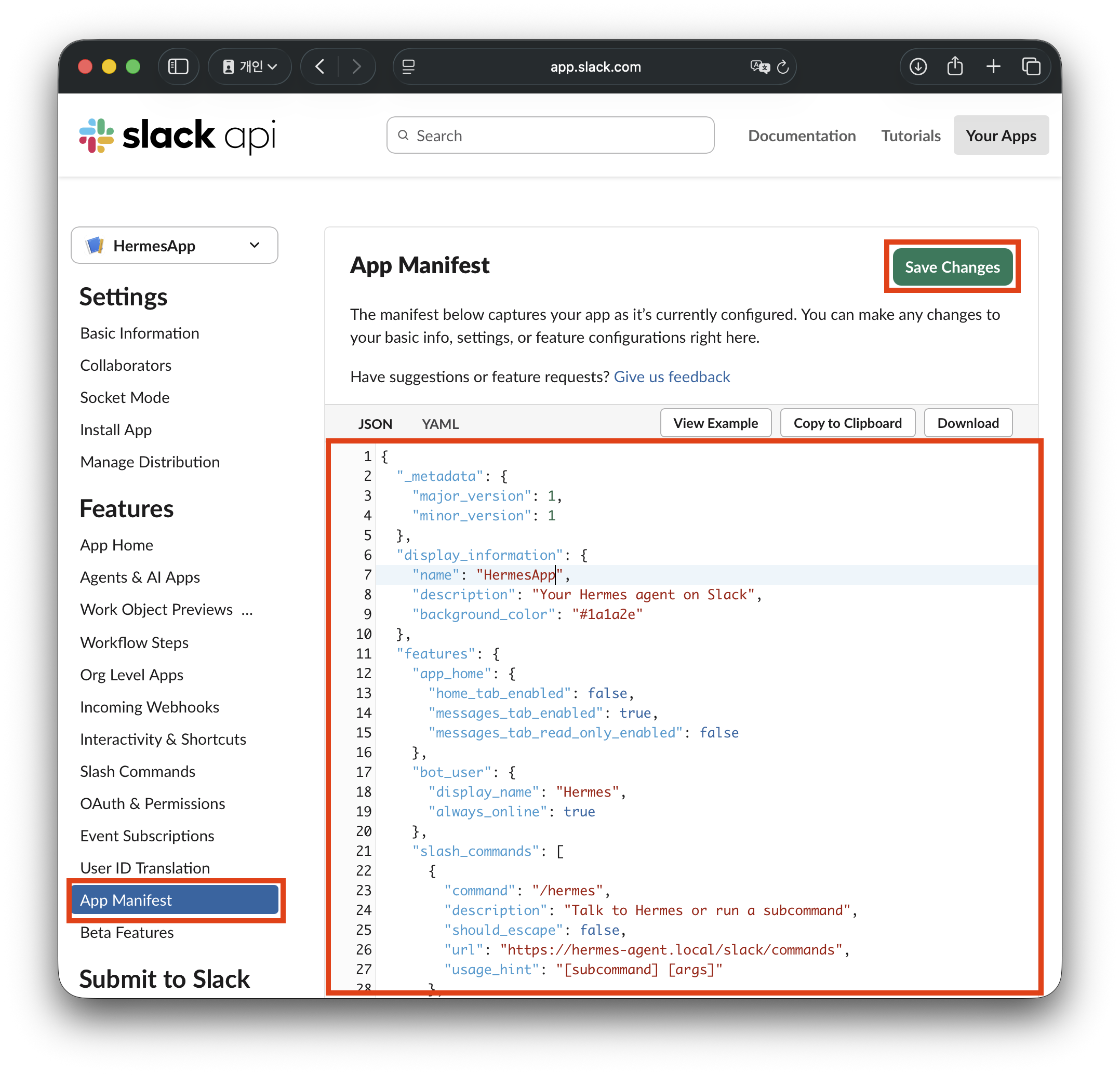
2.5. App Manifest를 복붙하고 저장하자
- (메뉴위치) Features > App Manifest
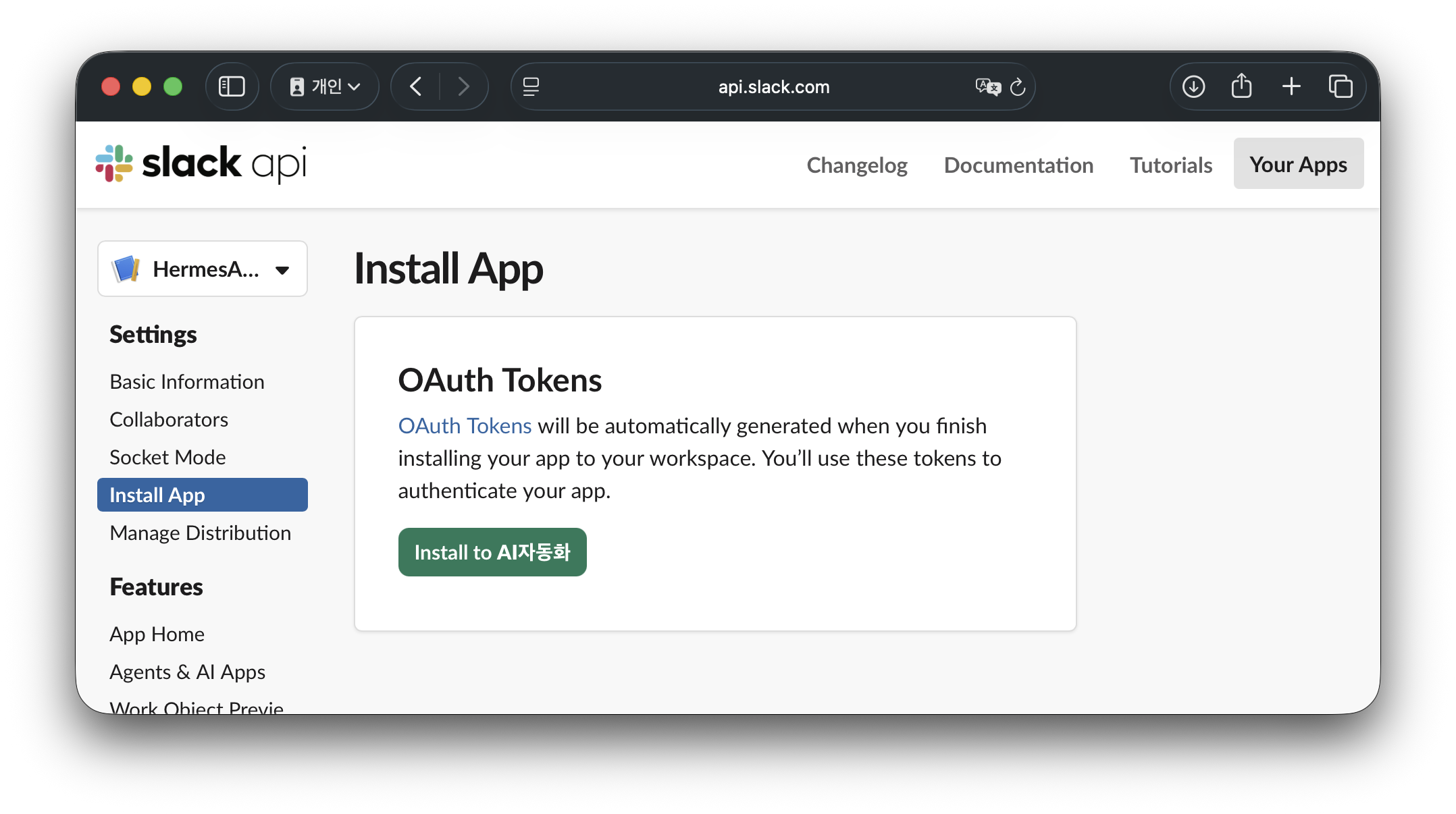
2.6. Install App으로 App Manifest 반영하자
- (메뉴위치) Settings > Install App
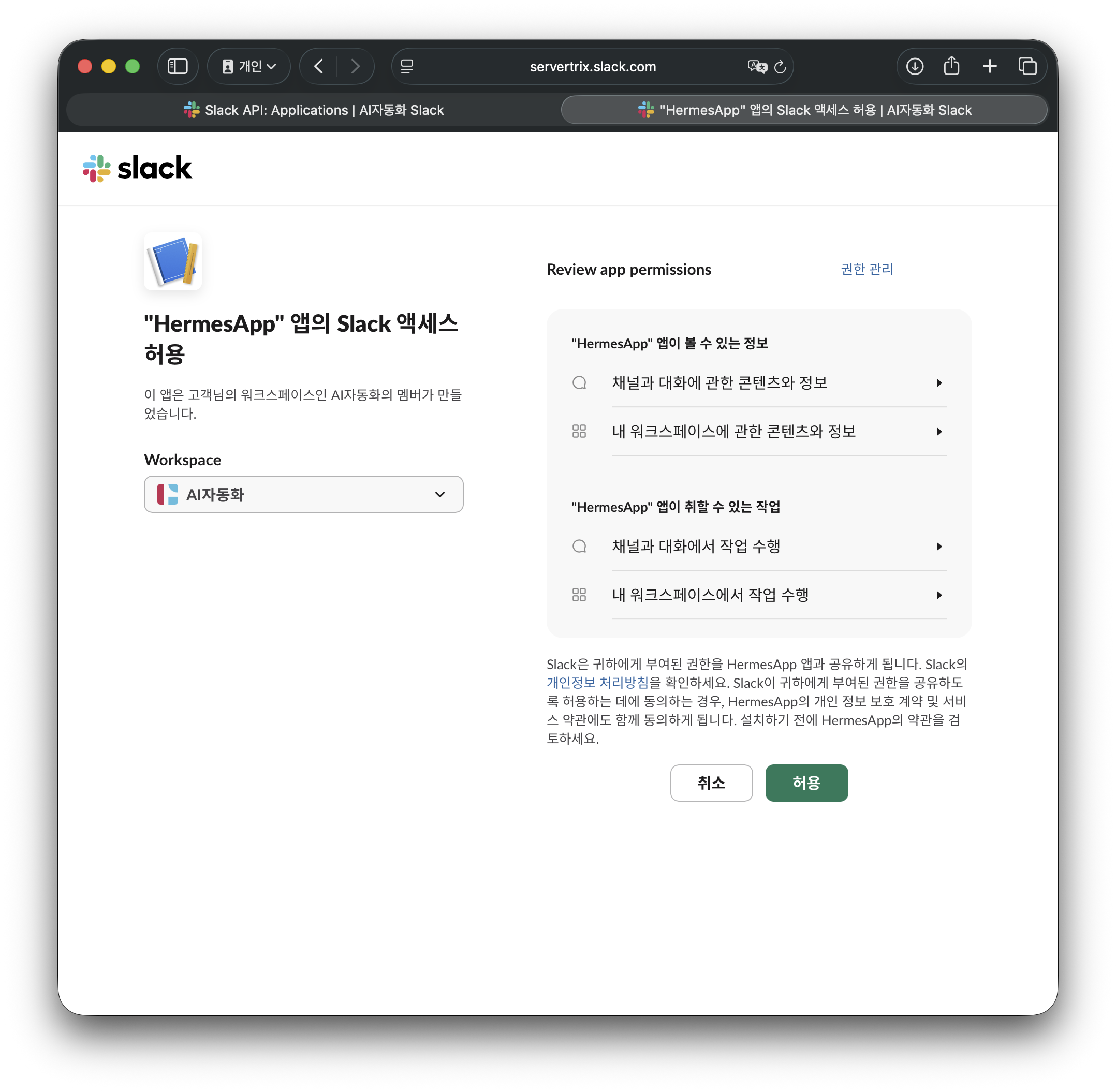
적용 버튼을 누르고 OAuth Tokens 값은 터미널에 입력할 Slack Bot Token (xoxb-...): 값이다.

2.7. 터미널 화면에서 토큰2개를 입력하자
위에서 따로 메모장 같은 곳에 저장은 해놨겠지만 아래 메뉴에서 동일하게 확인 가능하다.
Slack Bot Token (xoxb-...): Settings > Install App > Bot User OAuth Token에 있는 토큰 값
Slack App Token (xapp-...): Settings > Basic Information > App-Level Tokens > Tokens > hermes token 클릭 후 확인
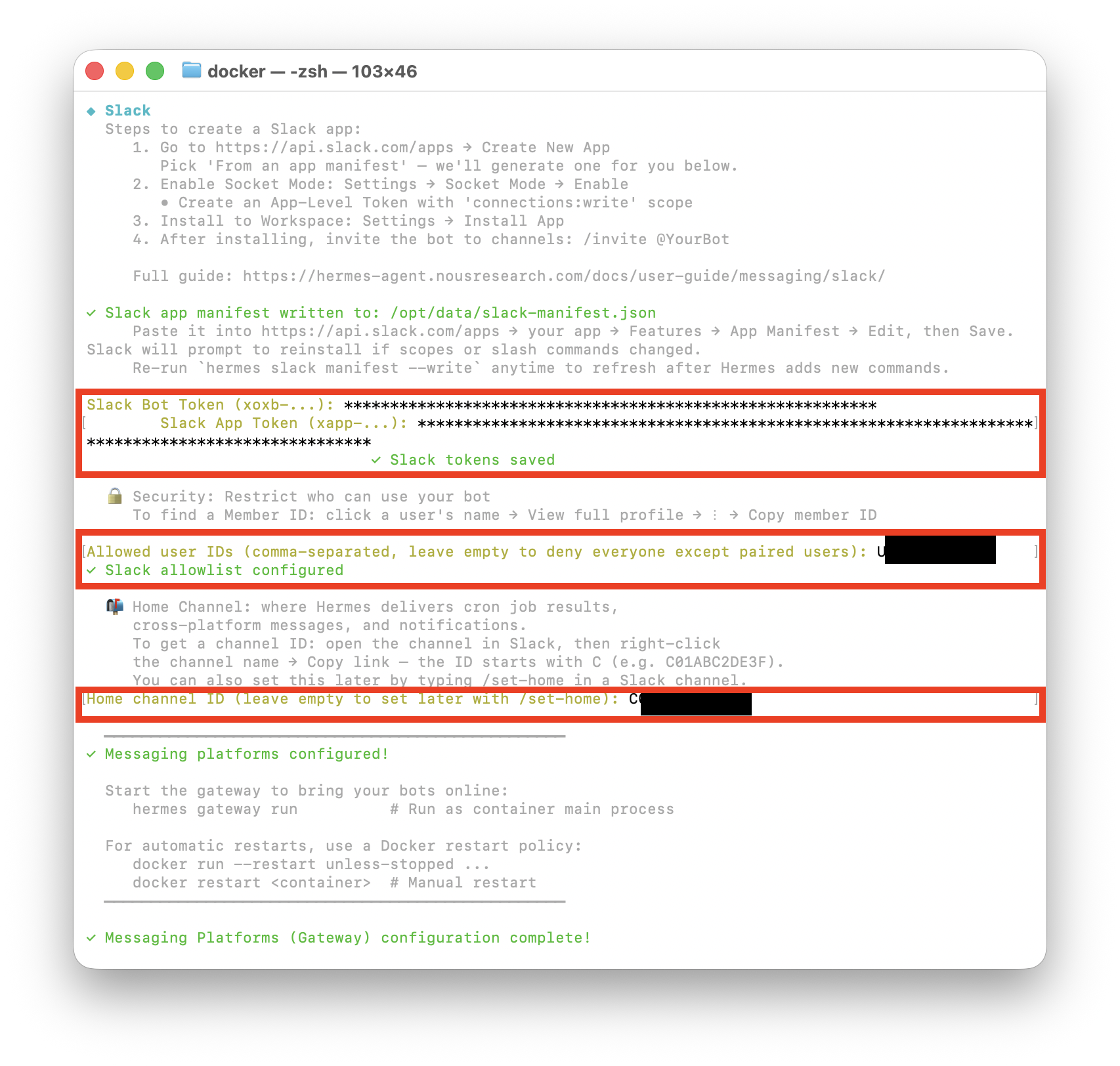
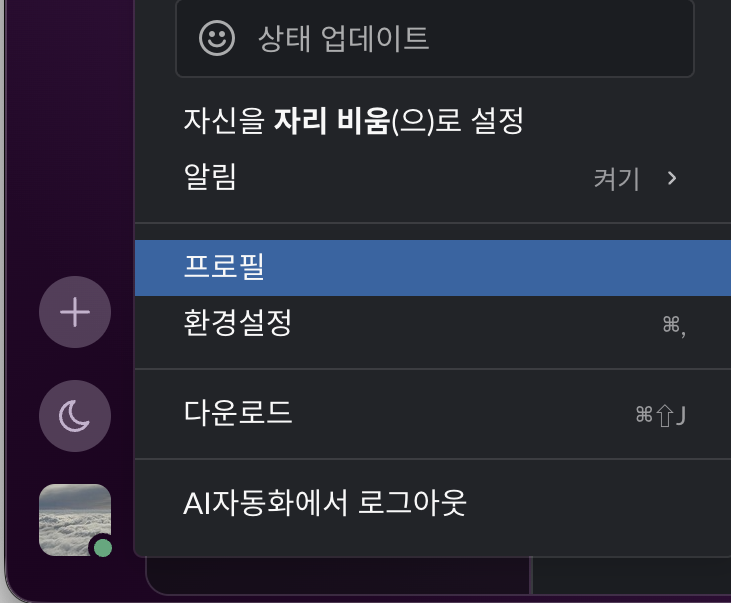
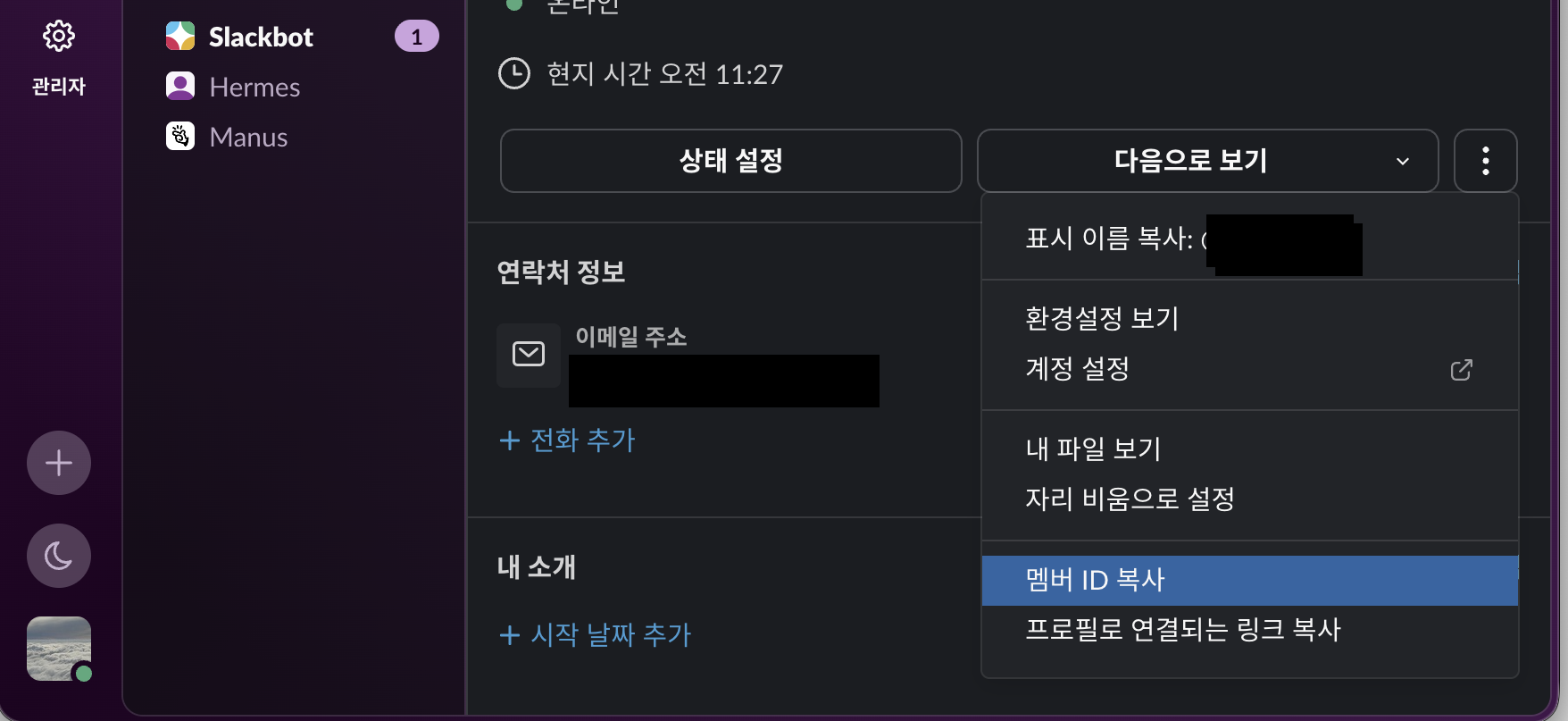
Allowed user IDs (comma-separated, leave empty to deny everyone except paired users): 허용할 아이디
내 아이디 확인 방법은 슬랙 > 프로필 > 멤버 ID 복사
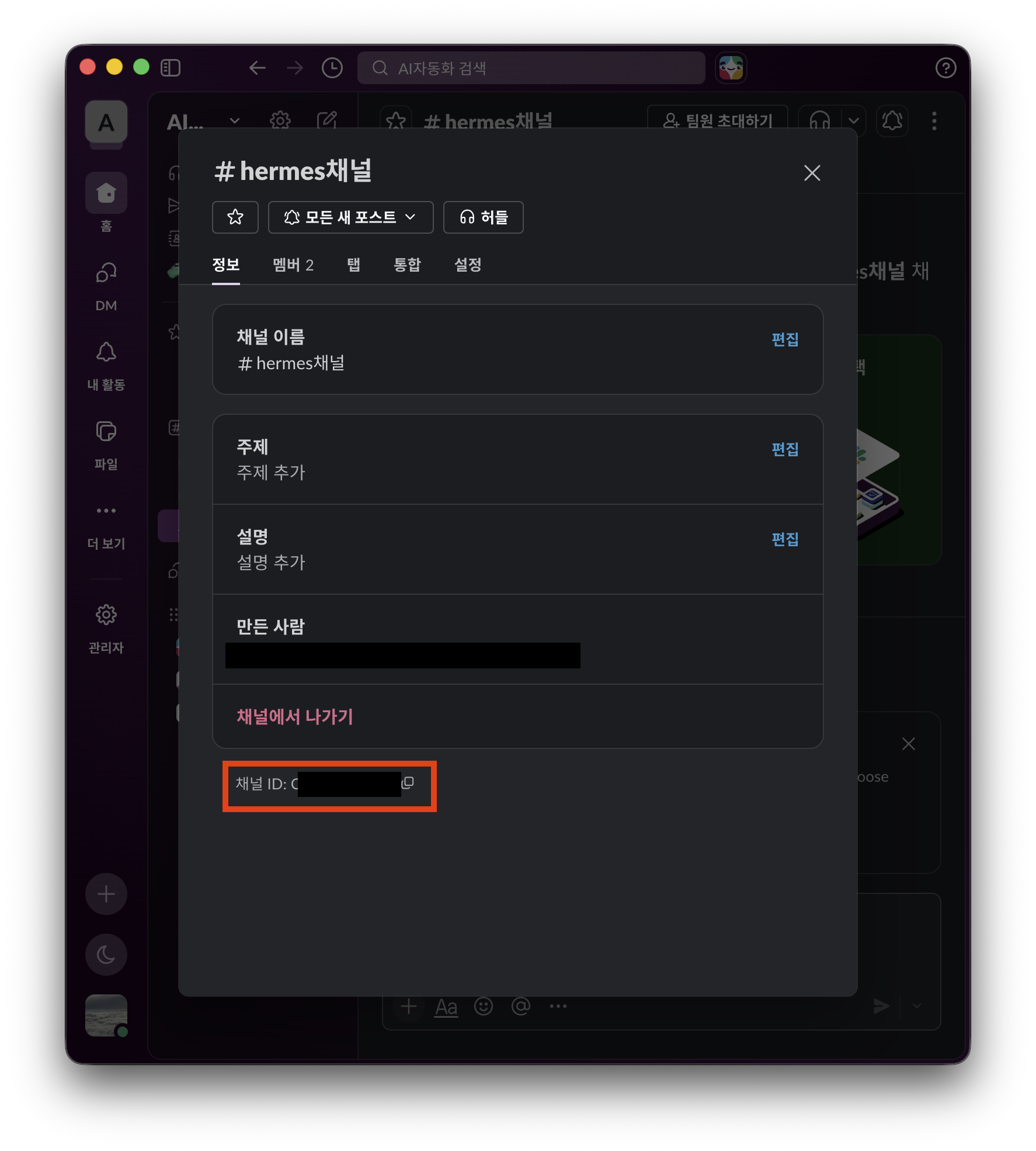
Home channel ID (leave empty to set later with /set-home): 홈채널 확인 방법
슬랙에 채널을 하나 생성하고 ... 버튼을 눌러 채널 ID 확인
'IT > AI 자동화' 카테고리의 다른 글
| 헤르메스(hermes agent) AI Agent 변경 방법(클로드에서 재미나이로 변경) (0) | 2026.05.31 |
|---|---|
| 헤르메스(hermes agent) 도커 설치 방법! 2. 도커컴포즈 작성 및 실행 (feat. 맥미니 + 클로드) (0) | 2026.05.31 |
| 헤르메스(hermes agent) 도커 설치 방법! 1. 최초 설정 마법사 (feat. 맥미니 + 클로드) (0) | 2026.05.31 |
| 클로드 + n8n(cloudeflare 연동) 커넥터 연결 실패 해결방법! (0) | 2026.05.24 |
| 맥미니도 있고 클로드도 구독했는데 재미있는거 해볼까? 클로드코드(Claude Code) 설치방법 (0) | 2026.05.24 |


